
If your organization uses Okta Identity Provider (IdP) for user authentication, you can configure IQNECT to allow your users to log in using their IdP credentials. Note that both OIDC and SAML 2.0 protocols are supported when using OKTA as an IdP. This page is specific to OIDC. For SAML 2.0, go to Okta SAML.
Okta integration only supports Service Provider initiated logins.
In Okta, create a SAML Application with the settings below. See the Okta documentation for help.
| Setting | Value |
|---|---|
Sign in redirect URI | https://api.iqnect.ai/sso/oidc/callback |
Detailed instructions are available below.
1. Creating an application #
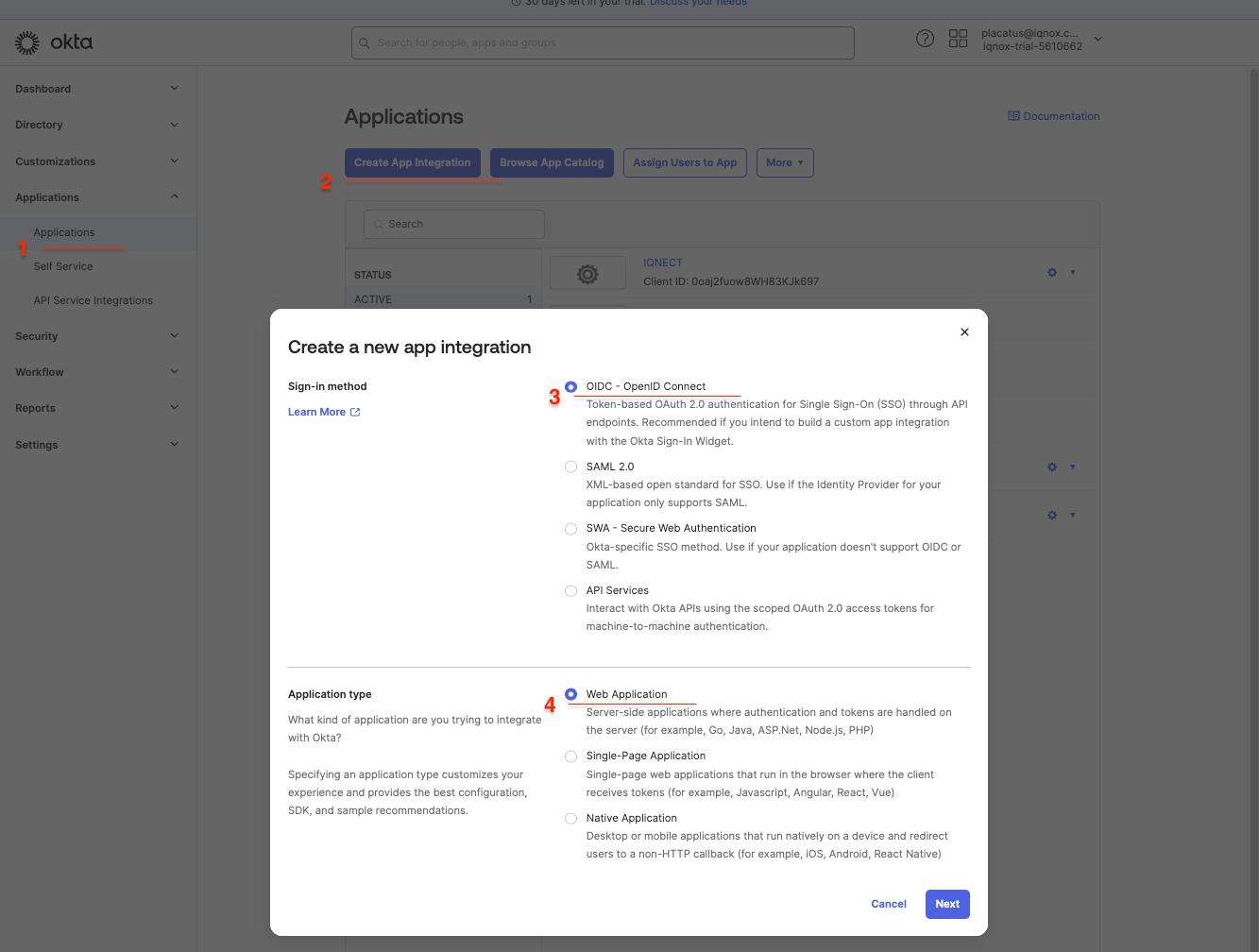
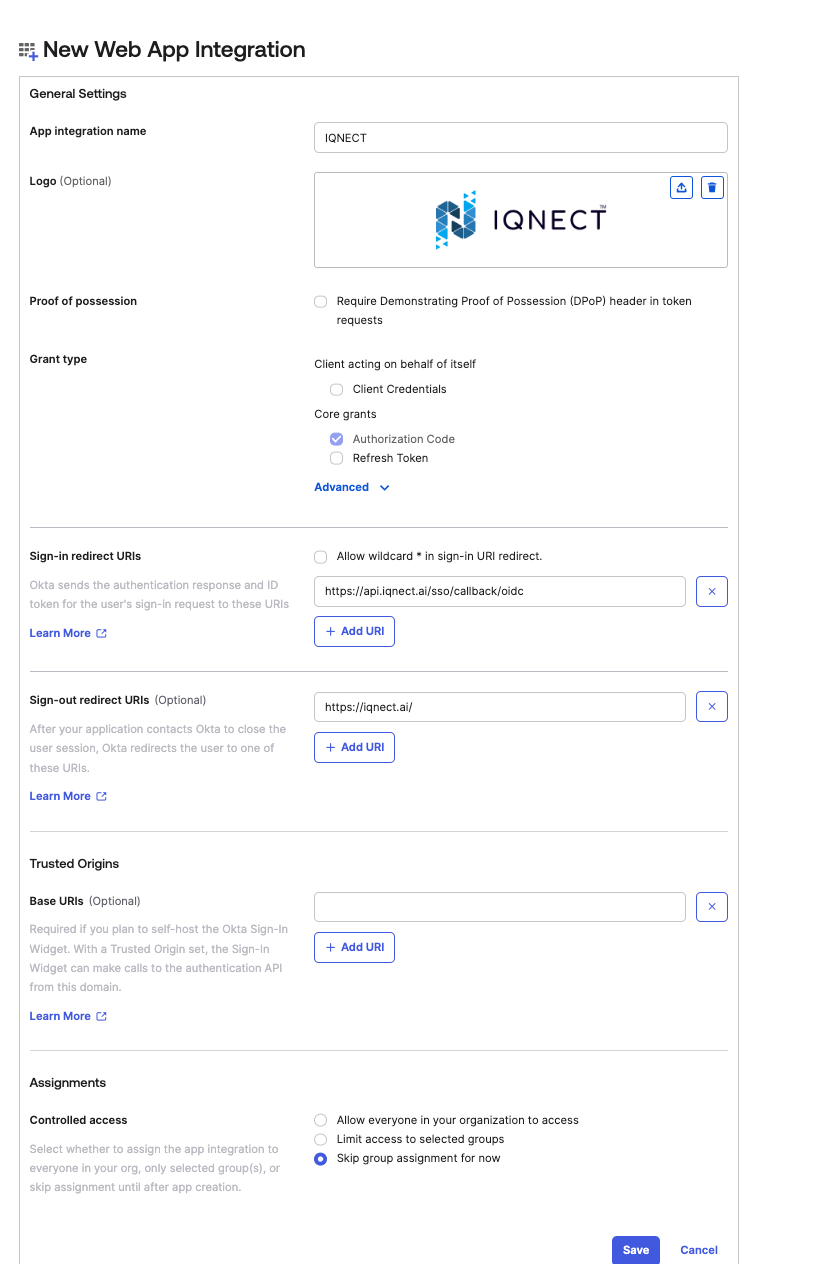
2. Okta app configuration #
Once the application is created, the following optional adjustments can be done.
- Enable
Require PKCE as additional verification - Assign users or groups to IQNECT
- Configure mappings to account for the attributes required in Introduction. The following claims should be mapped into:
nameandemail.
3. Send information to IQNOX #
The following information needs to get to IQNOX so the tenant SSO to be configured
clientIdclientSecret- Fully qualified domain name for the Okta tenant. Example
https://<OKTA_TENANT_NAME>.okta.com
