
Overview #
In IQNECT 26.1, the Document Importer has been improved to better preserve document structure and give users more control before content is imported into Codebeamer.
Documents with nested outlines are now imported with the correct parent-child hierarchy, ensuring tracker items remain organized as intended. Users can also adjust the tree hierarchy directly in the outline view before importing, reducing manual restructuring after import.
This update makes document-based requirement and specification workflows faster, cleaner, and more reliable.
Prerequisites #
- The document you want to import is available and contains a structured outline.
- You have permission to import items into the target tracker.
- You are using IQNECT version 26.1 or later.
How hierarchy preservation works #
The Document Importer converts your document’s outline into a structured hierarchy of tracker items, maintaining parent-child relationships instead of flattening content.
Before importing, you can review and adjust this structure in a tree view, reorganizing sections and refining relationships without changing the source document. The workflow focuses on control and accuracy:
- Detect and preserve hierarchy automatically
- Present structure as an editable tree
- Allow drag-and-drop adjustments
- Import items with the finalized structure
This reduces rework and keeps tracker data aligned with the original document.
Import documents with preserved hierarchy #
Follow these steps to import a structured document while maintaining its tree hierarchy:
Open your project #
Open the Projects tab and click on the project that contains the tracker you want to import into.
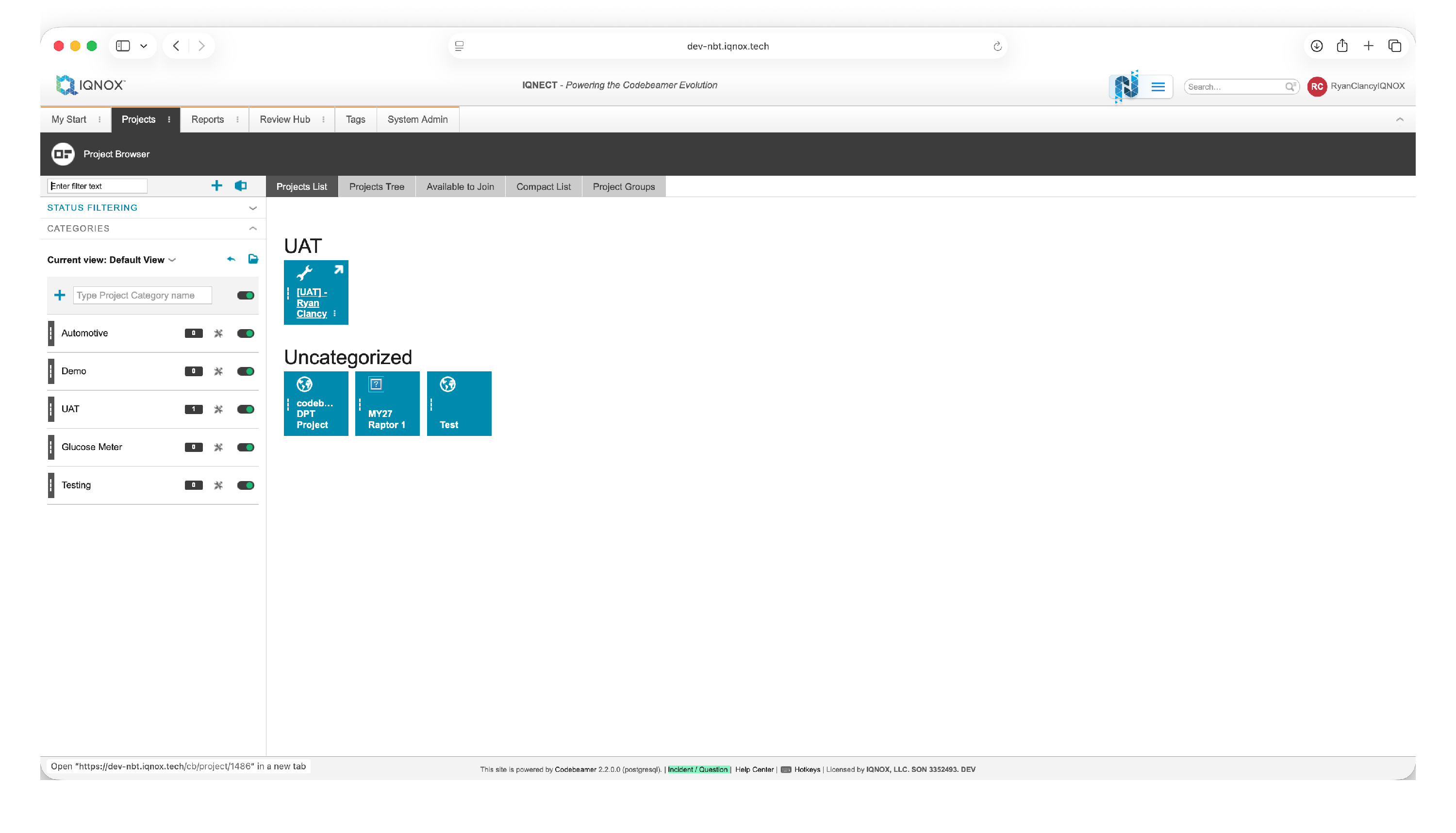
This will open the project workspace.
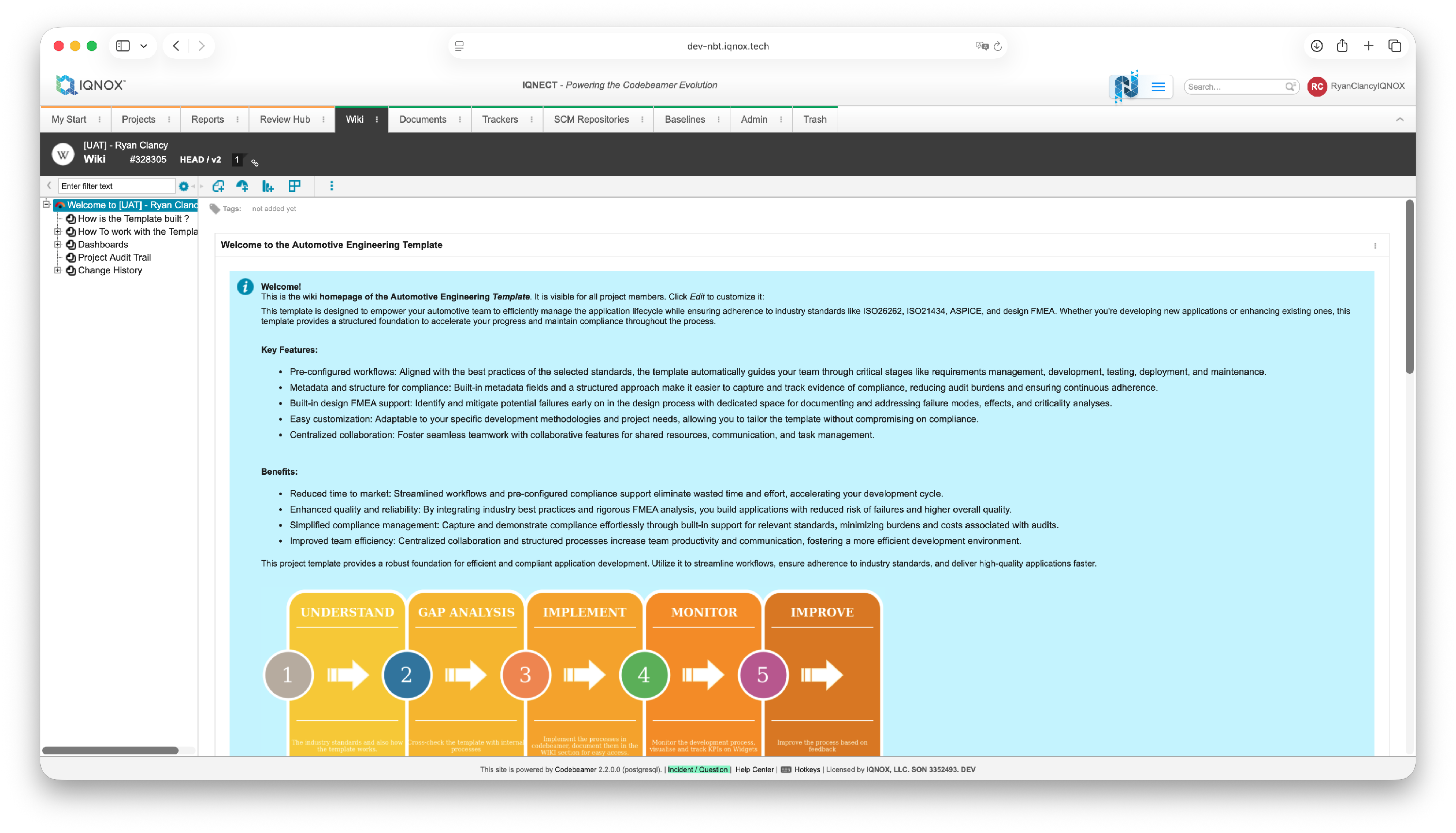
Select the tracker item link #
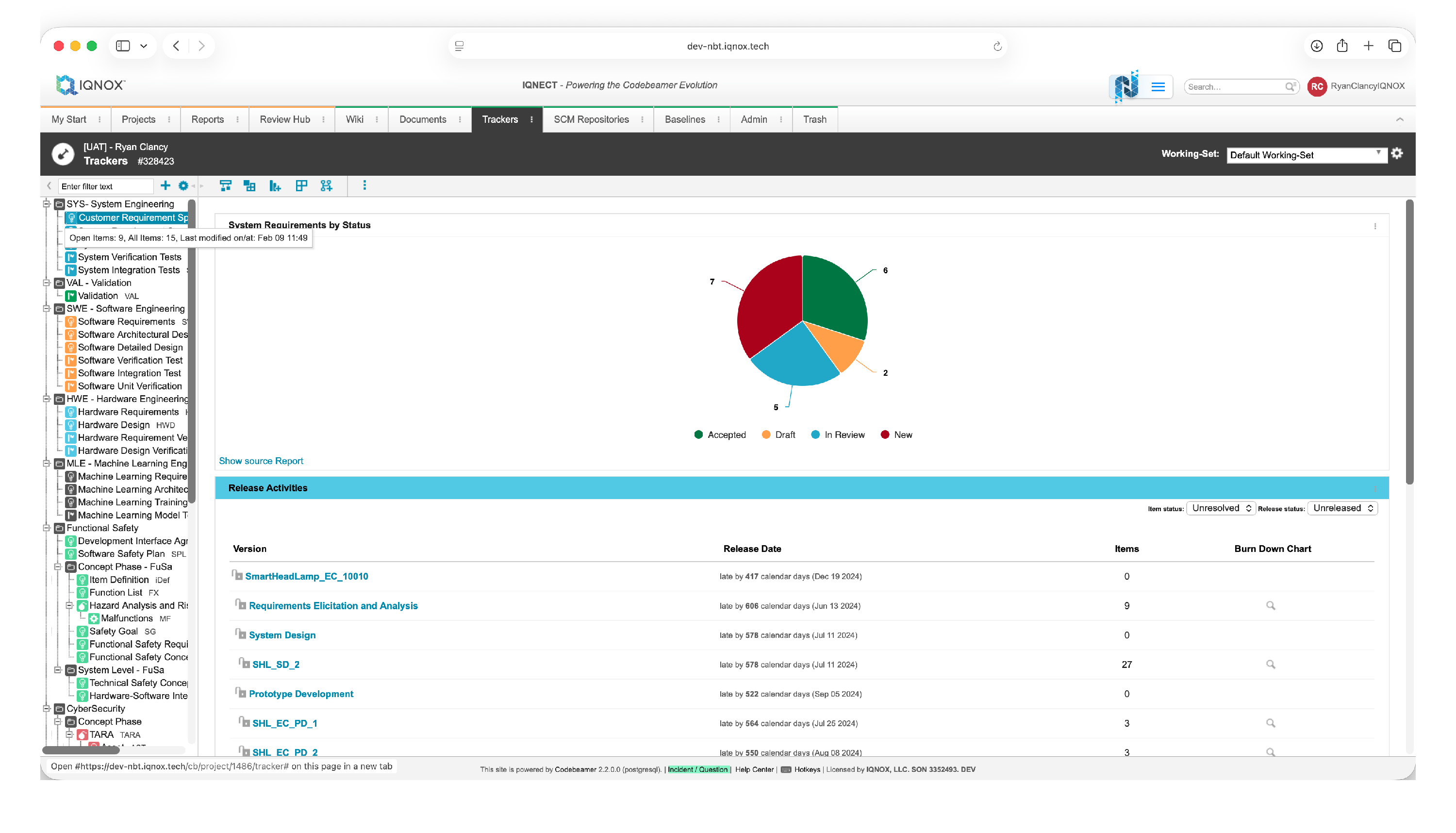
Navigate to the Trackers tab.
Double click on the desired tracker in the tree structure on the left.
Open the Document Importer #
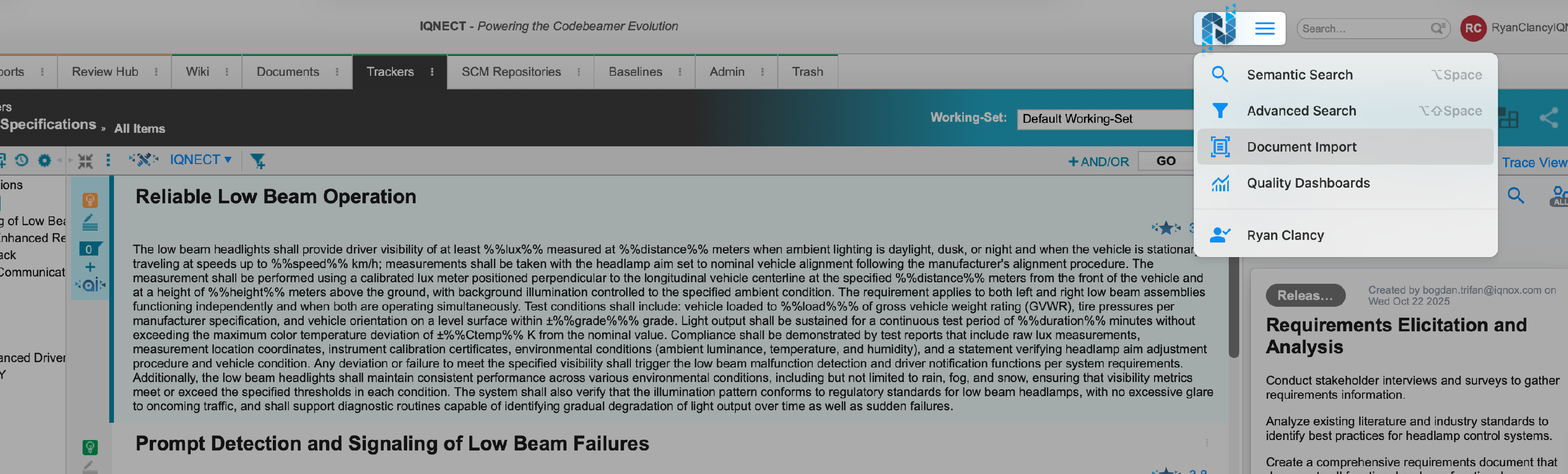
Open the IQNECT hamburger menu.
Select Document Import .
Uploading a document #
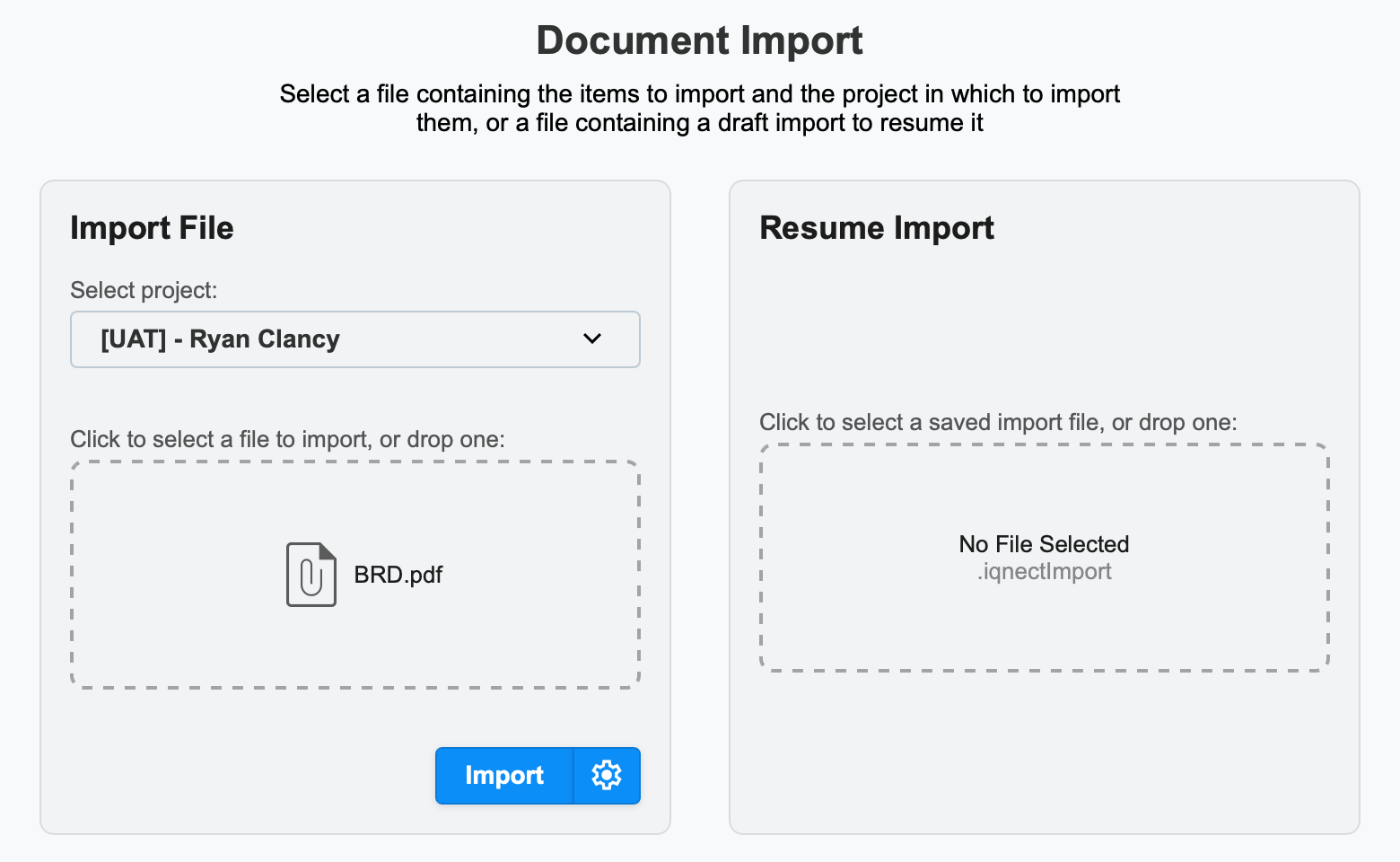
Upload the document you want to import and select Import .
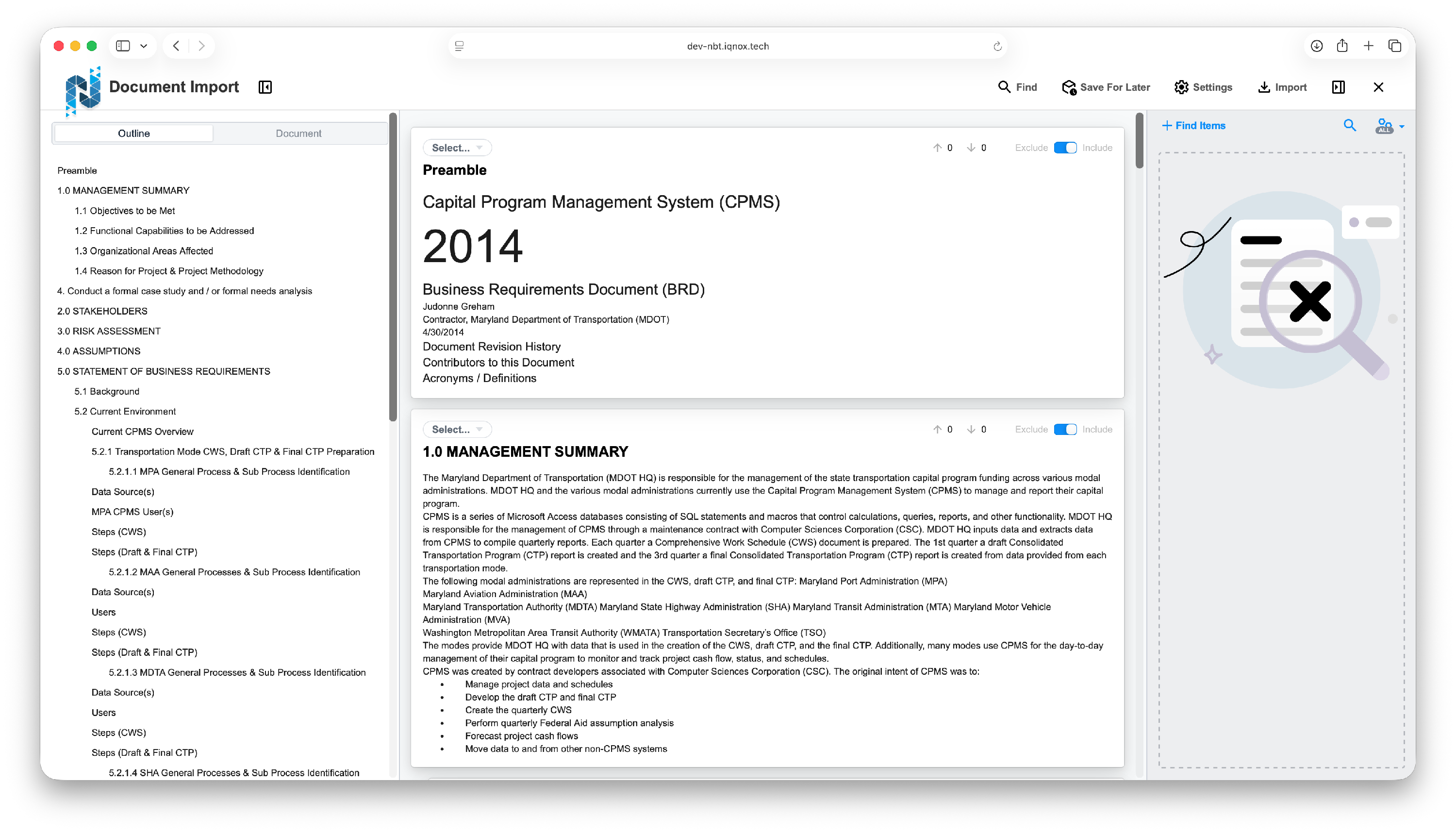
IQNECT detects the document’s outline structure and displays it as a tree view.
Review the hierarchy structure #
In IQNECT 26.1, parent and child sections are now recognized correctly.
This ensures that items will be imported as nested tracker entries instead of flattened standalone items.
Manipulate the hierarchy before import #
Before importing, you can adjust the outline structure directly.
Drag and drop items within the tree view to:
- Change parent-child relationships
- Reorganize sections
- Refine structure without editing the source document
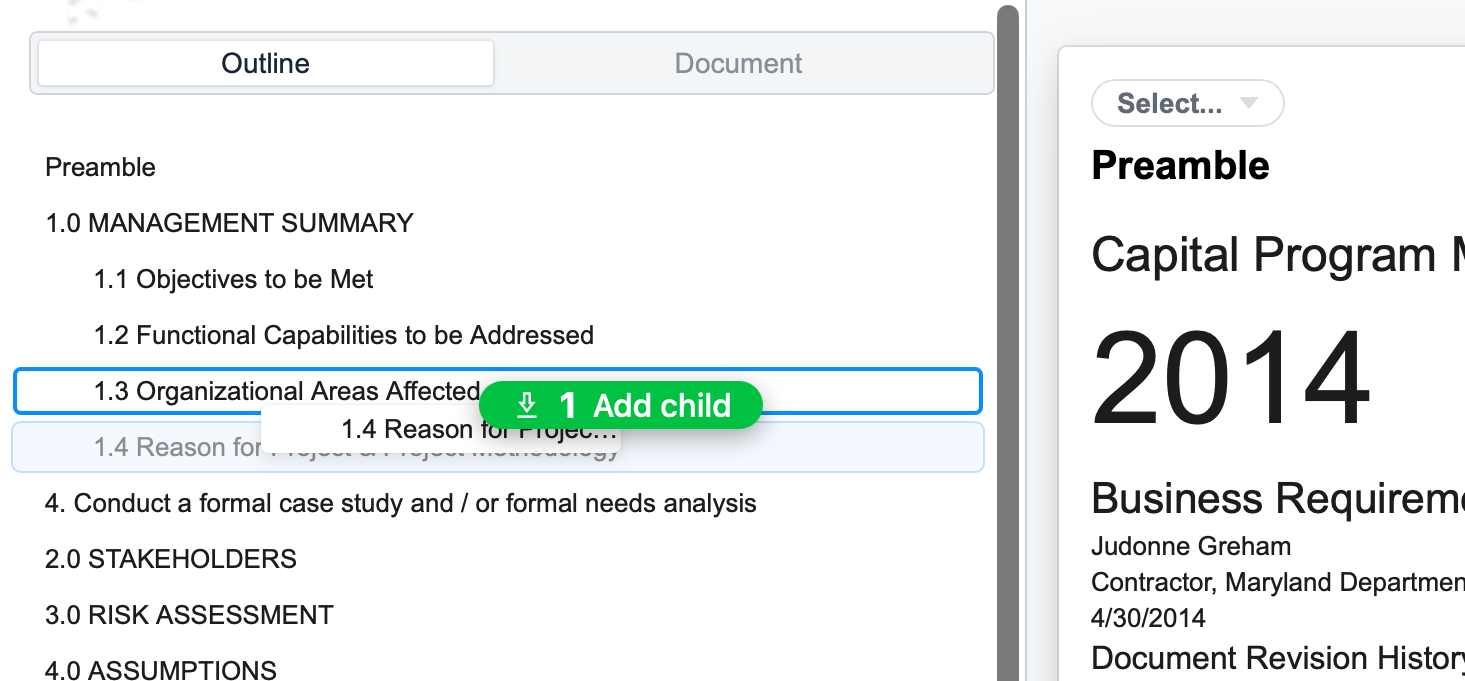
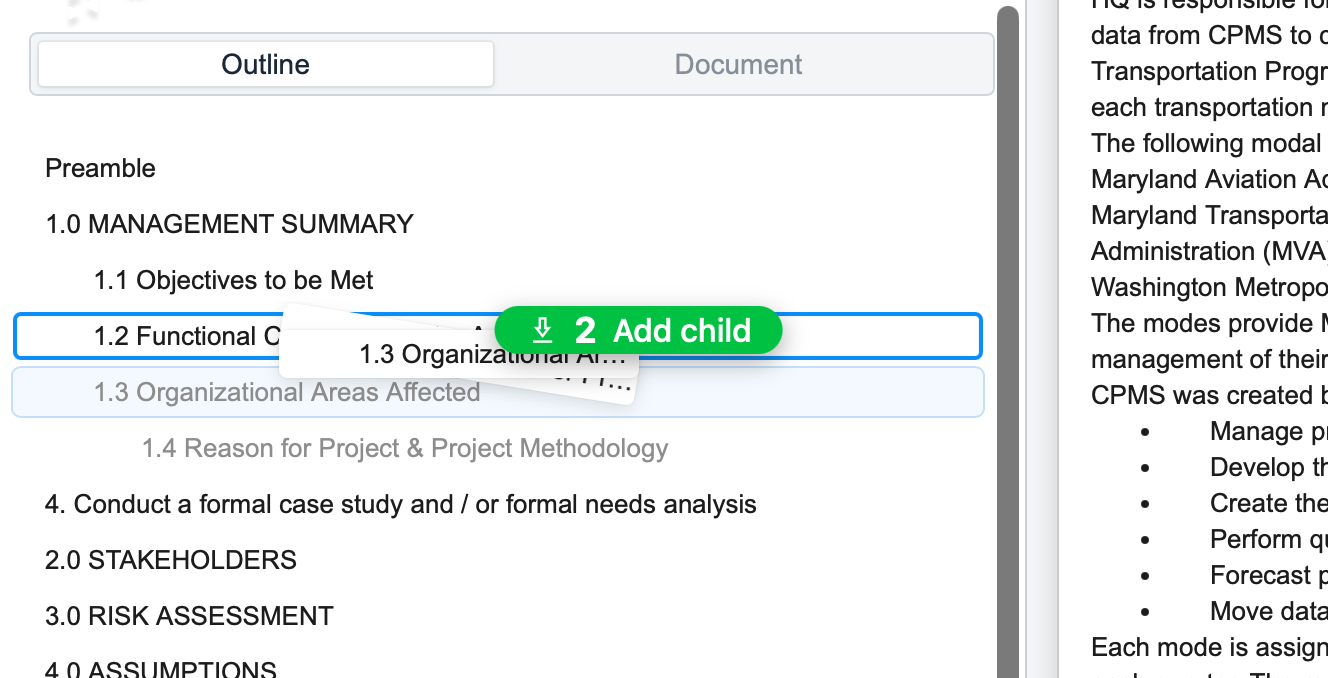
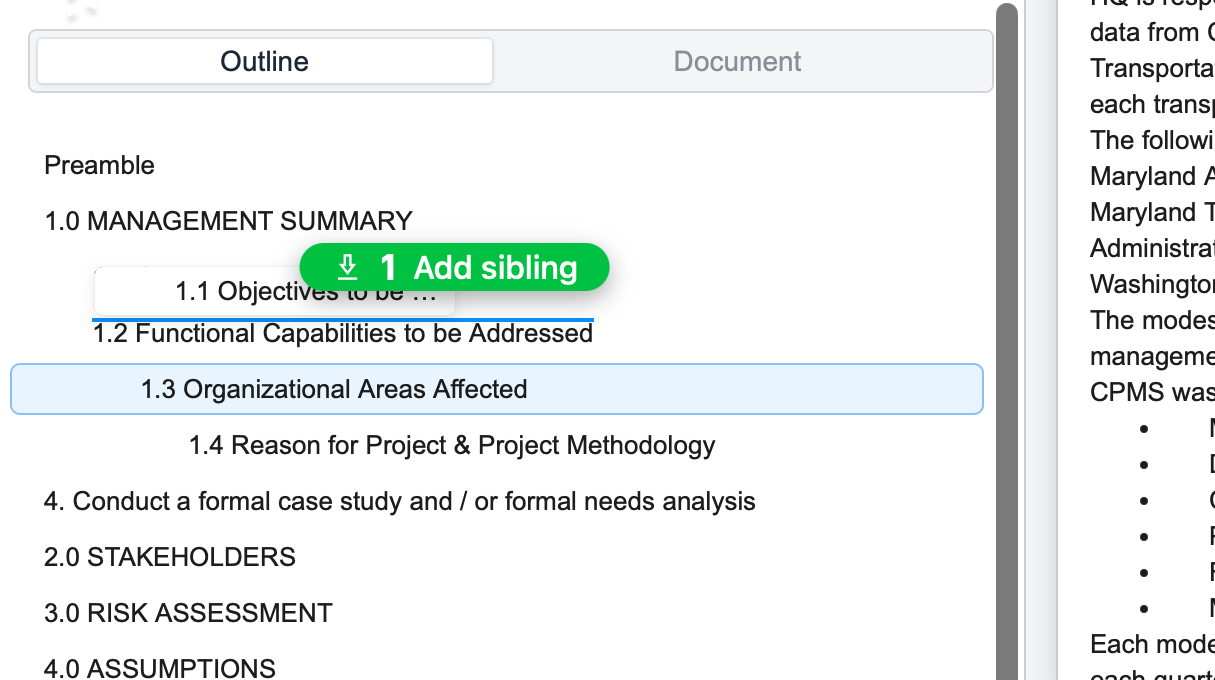
Once you’re happy with the hierarchy, hit Done to finish editing.

Import the document #
Select Import to start the import process.

IQNECT imports items into Codebeamer using the displayed nesting structure.
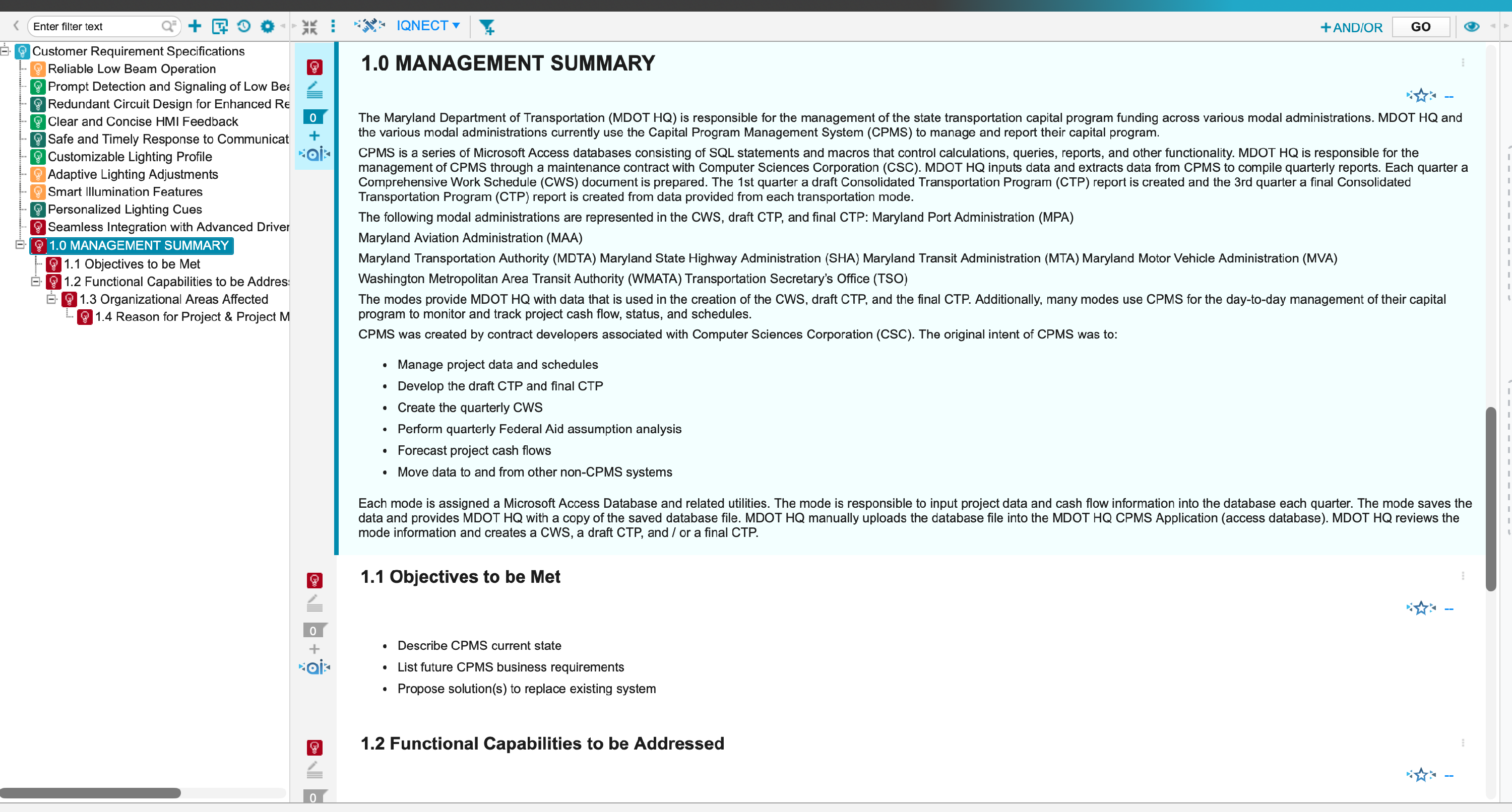
The hierarchy remains consistent from document to tracker.
 NOTE
NOTE
When using the Document Importer with merged items, item hierarchy may not be preserved as expected. Merging intermediate (middle-level) items during import (within the Document Importer view) can lead to unexpected restructuring of the item tree in Codebeamer.
Results and next steps #
You’ve successfully imported a structured document with preserved hierarchy and optional pre-import organization.
Use this workflow to reduce post-import cleanup, maintain accurate parent-child relationships, and keep tracker structures aligned with project documentation as your work evolves.
