
Overview #
In IQNECT 26.2.1, tunneling allows IQNECT to establish secure connections to external systems that are not publicly accessible from the internet.
Tunneling is designed for environments where systems such as Codebeamer or Windchill are hosted behind firewalls, on private networks, or within isolated infrastructure. By routing communication through a secure tunnel, IQNECT can access external systems without requiring direct public exposure.
This capability helps organizations maintain network security while enabling integrations between IQNECT and external engineering platforms.
Prerequisites #
Before configuring tunneling:
- You are using IQNECT version 26.2.1 or later.
- You have administrator permissions.
- The external system has network connectivity to the IQNECT tunnel endpoint.
- Required firewall rules allow outbound communication from the external system.
- The external system is already configured as an IQNECT integration endpoint.
How tunneling works #
Tunneling creates a secure communication path between IQNECT and an external system.
Instead of exposing the external application directly to the public internet, the tunnel routes traffic through a secure encrypted connection. This allows IQNECT to communicate with systems hosted on private networks while reducing external exposure.
Typical use cases include:
- On-premises Codebeamer deployments
- On-premises Windchill deployments
- Systems hosted behind corporate firewalls
- Environments with restricted inbound network access

Enable tunneling #
Follow these steps to enable tunneling for an external system.
Open integration settings #
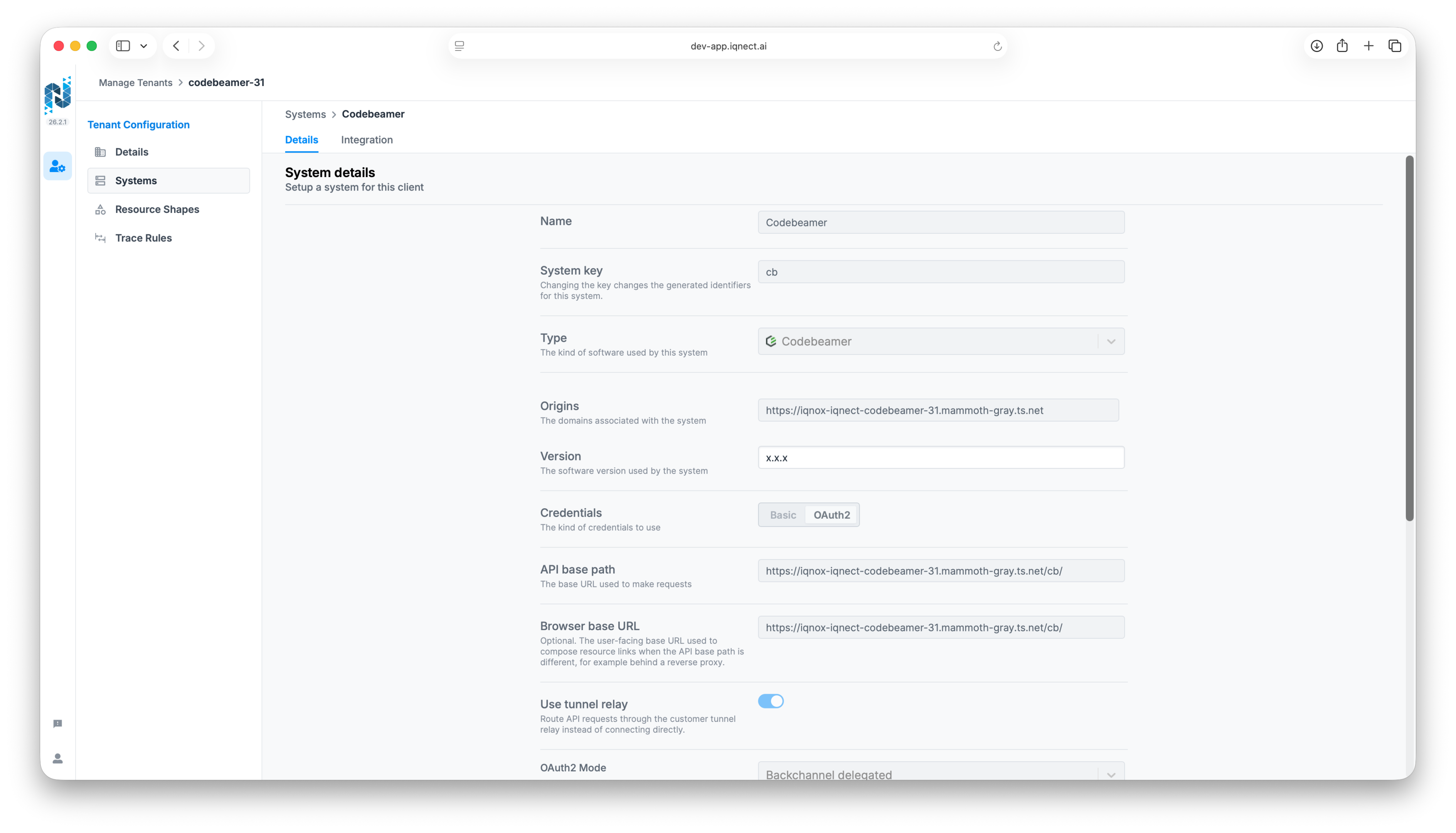
Open the IQNECT Administration interface and navigate to the external system configuration.
Select the system that requires tunnel connectivity.
Enable tunneling #
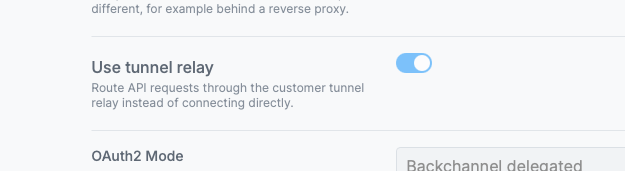
Locate the Tunneling configuration section.
Enable the tunneling option for the selected system.
Configure tunnel settings #
Enter the required tunnel configuration values.
Depending on the external system and environment, configuration settings may include:
- Host information
- Port information
- Authentication credentials
- Tunnel endpoint configuration
The required values depend on the target environment.
In Codebeamer
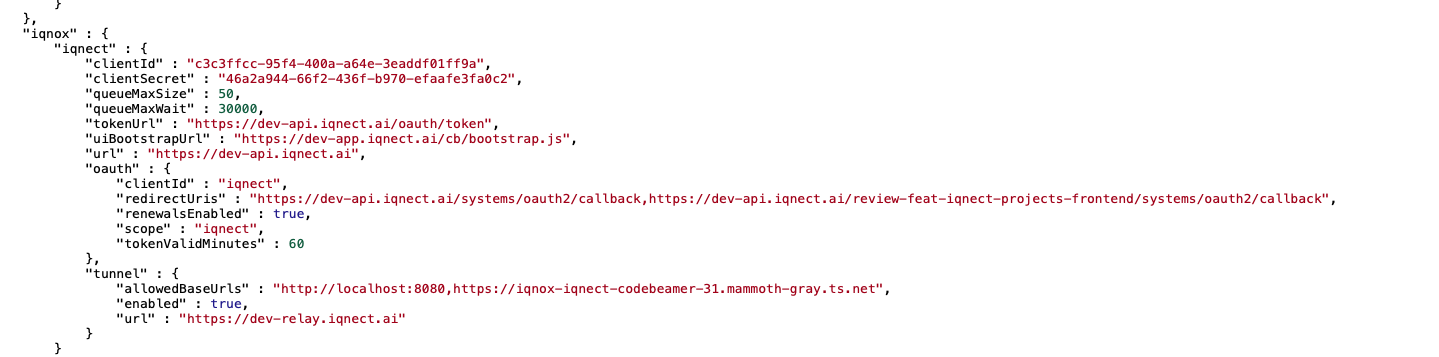
Configure the required tunneling settings in the Codebeamer System Admin.
The values displayed in this section determine how IQNECT establishes and maintains a secure connection to the Codebeamer instance.
If Codebeamer uses Single Sign-On (SSO), administrators must also configure the URL of the SSO provider. Any service that IQNECT must access through the tunnel should be included in the tunnel configuration to ensure successful authentication and communication.
In Windchill
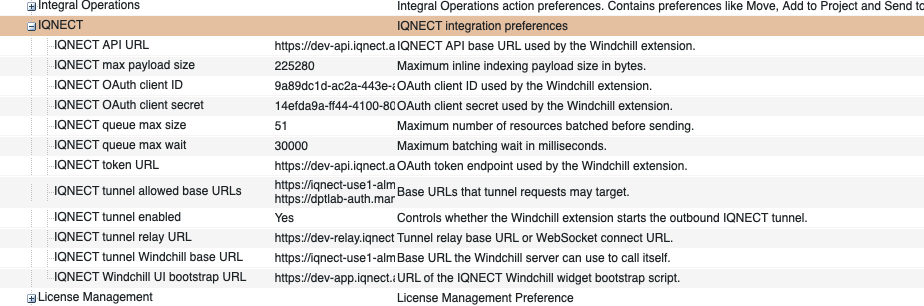
Configure the required tunneling settings in the Windchill Preference Management.
The values displayed in this section determine how IQNECT establishes and maintains a secure connection to the Windchill instance.
If Windchill uses Single Sign-On (SSO), additional URLs must also be configured. In addition to the Windchill URL, administrators must specify the URL of the SSO provider. This allows IQNECT to communicate with both Windchill and the authentication provider through the tunnel.
Save the configuration #
Save the configuration changes.
IQNECT validates the tunnel configuration and attempts to establish connectivity with the external system.
Verify connectivity #
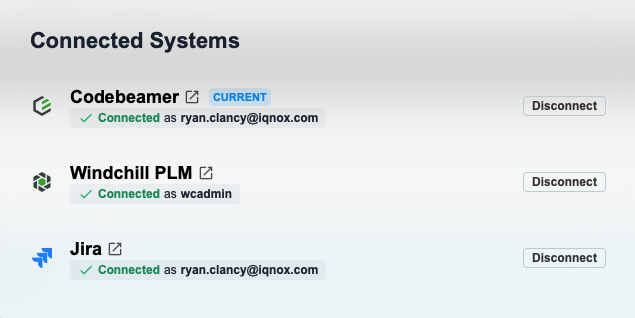
Verify that IQNECT can successfully communicate with the external system.
A successful connection confirms that the tunnel is operational and ready for integration traffic.
Tunneling with publicly accessible systems #
Tunneling can also be enabled for systems that are already publicly accessible.
While a direct connection may already be available, some organizations choose to use tunneling to provide an additional encrypted communication path between IQNECT and the external system.
When tunneling is enabled for a publicly accessible system:
- The integration continues to function normally.
- Network traffic is routed through the tunnel.
- A small amount of additional latency may be introduced.
- Communication remains encrypted through the tunnel connection.
The decision to use tunneling for publicly accessible systems depends on organizational security requirements and network architecture.
Results and next steps #
You’ve successfully configured tunneling for an external system.
IQNECT can now securely communicate with systems hosted on private networks or behind firewalls without requiring direct public exposure.
After enabling tunneling, validate integration workflows and monitor connectivity to ensure reliable communication between IQNECT and the connected system.
