
Overview #
IQNECT 26.2 improves handling of outdated analysis scores and enhances visibility into requirement quality. When requirements change, scores are now automatically flagged as outdated, making it clear when re-analysis is needed.
Scoring for orphaned requirements has also been improved, providing more accurate insights into coverage and traceability gaps. Together, these updates ensure quality metrics remain current, reliable, and actionable for better decision-making.
Prerequisites #
- You are using IQNECT version 26.2 or later.
- You have permission to view and update tracker items and run Analysis.
How outdated score detection works #
IQNECT continuously monitors changes made to requirements and related artifacts. When a modification occurs that affects the validity of an existing score, the system automatically marks that score as outdated.
Outdated scores are visually indicated within the user interface, making them easy to identify without requiring manual checks or re-analysis.
This allows users to quickly determine whether a score can still be trusted or if it needs to be recalculated based on the latest data.
Identify outdated scores #
Follow these steps to locate and review outdated scores:
Open your project #
Open the Projects tab and select your project.
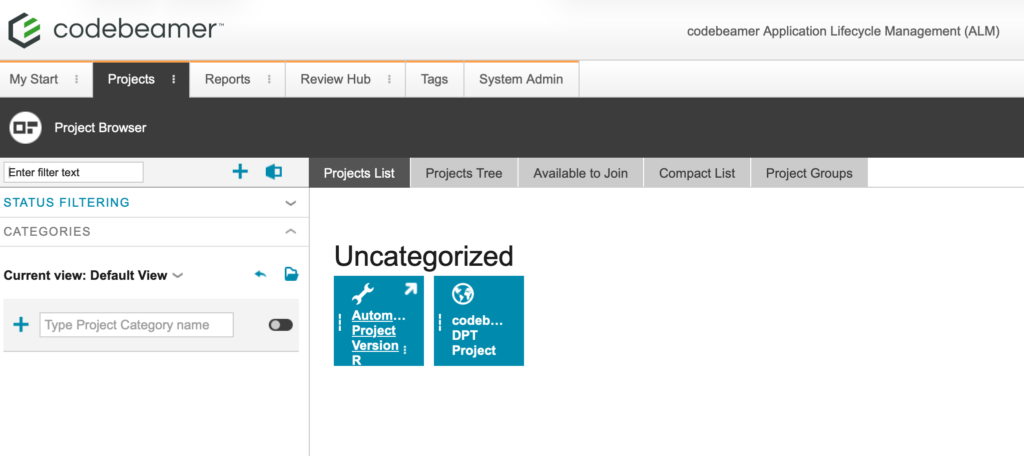
This will open the Wiki tab for that project.
Select the tracker item #
Navigate to the Trackers tab. Double-click on the desired tracker in the tree structure on the left.
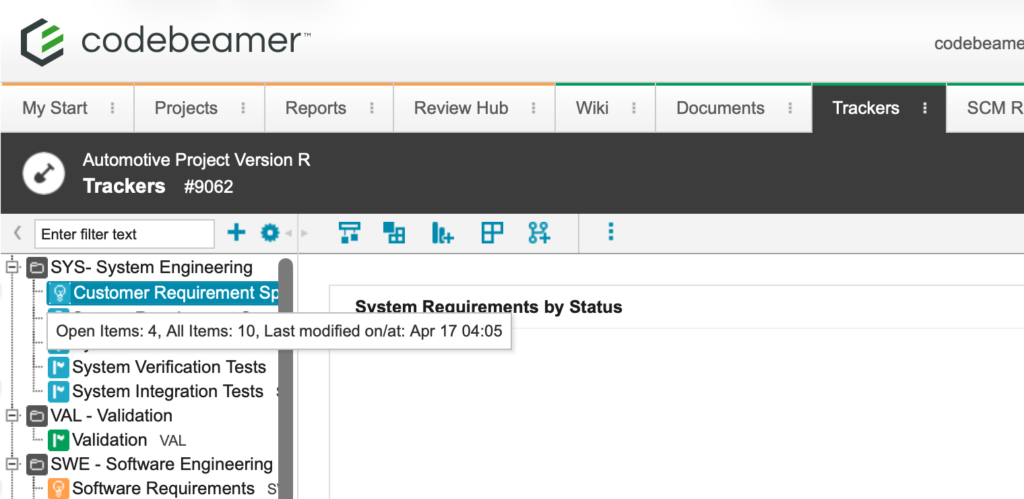
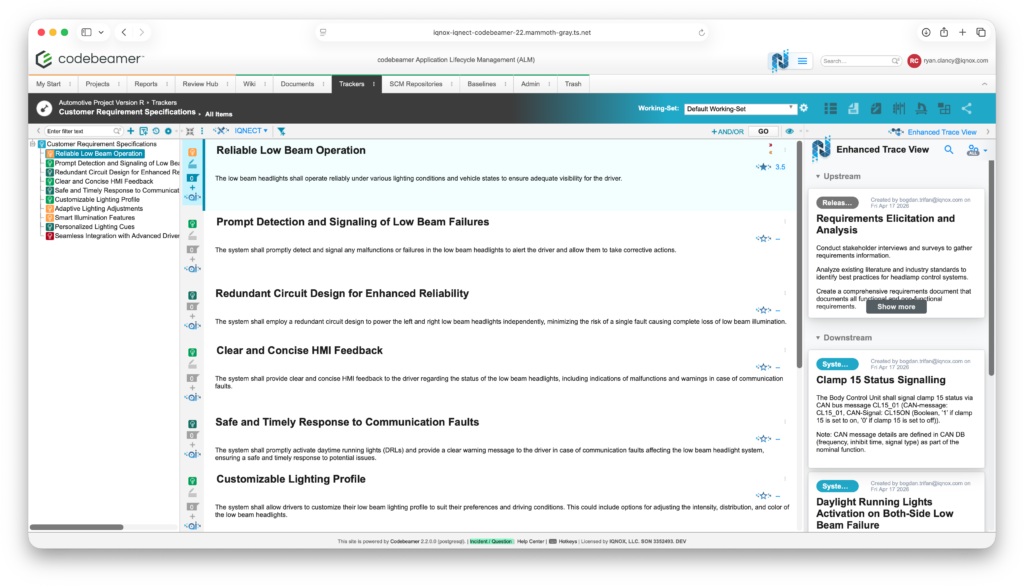
This will bring you into the All Items view within that tracker.
Open a requirement or analysis view #
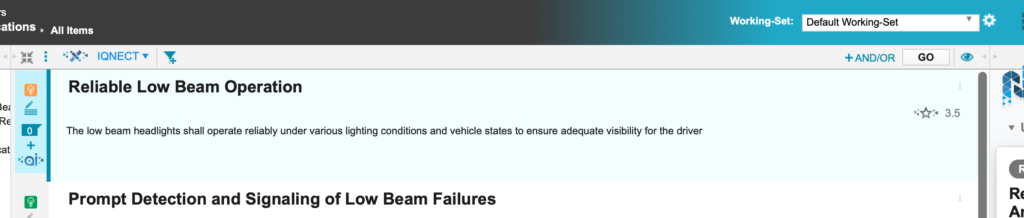
Select a tracker item and locate the quality score displayed for that item. If the score appears grayed out, this indicates that the requirement has been modified since the last analysis, and the score is no longer up to date.
This visual cue allows you to quickly identify which items require attention.
Re-run analysis #
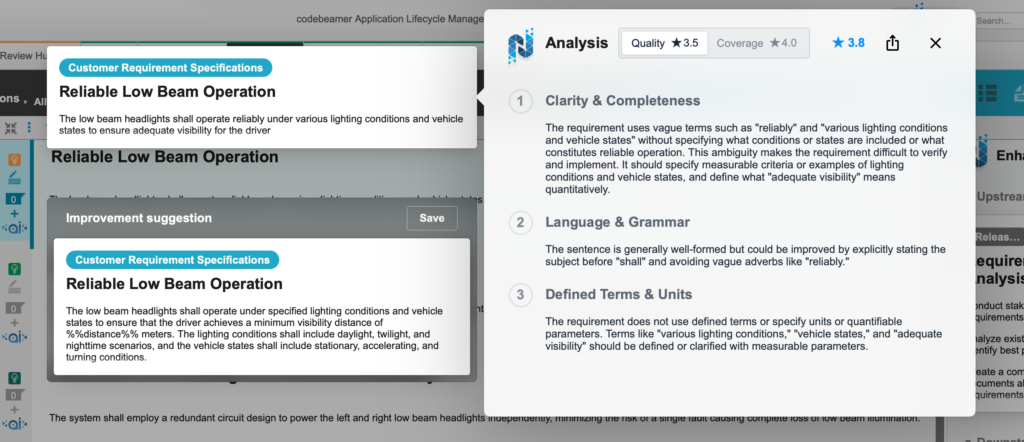
Choose the item with an outdated score and run the analysis again. IQNECT recalculates the score based on the latest requirement data, ensuring that the result reflects the current state of the item.
Once completed, the updated score replaces the outdated one and is displayed in blue.
Results and next steps #
You’ve successfully identified and refreshed outdated scores. By clearly flagging outdated metrics and enabling quick re-analysis, IQNECT helps ensure that quality data remains accurate and aligned with ongoing changes.
Use this workflow to maintain up-to-date quality metrics, improve visibility into requirement coverage, and ensure that decisions are based on current, reliable information as your project evolves.
