
Overview #
The Document Importer allows organizations to import engineering documents into IQNECT for indexing and analysis. During the import process, IQNECT validates imported documents and identifies potential duplicates before they are added to the repository.
In IQNECT 26.3, the Document Importer introduces duplicate detection to help prevent multiple copies of the same document from being imported. This helps maintain a cleaner engineering repository and reduces redundant content.
Prerequisites #
Before importing documents, ensure that:
- The Document Importer has been configured.
- The user has permission to import documents.
- The documents are in a supported file format.
How duplicate detection in IQNECT works #
During document validation, IQNECT compares documents with existing repository content to identify potential duplicates. If a duplicate is found, IQNECT flags the document for review before the import is completed.
This allows users to prevent redundant documents from being added to the repository, improving data quality and supporting more accurate search, analysis, and traceability.
Import documents #
Follow these steps to import documents into IQNECT.
Open the Document Importer #
Open the IQNECT hamburger menu.
Navigate to Document Importer.

Select documents #
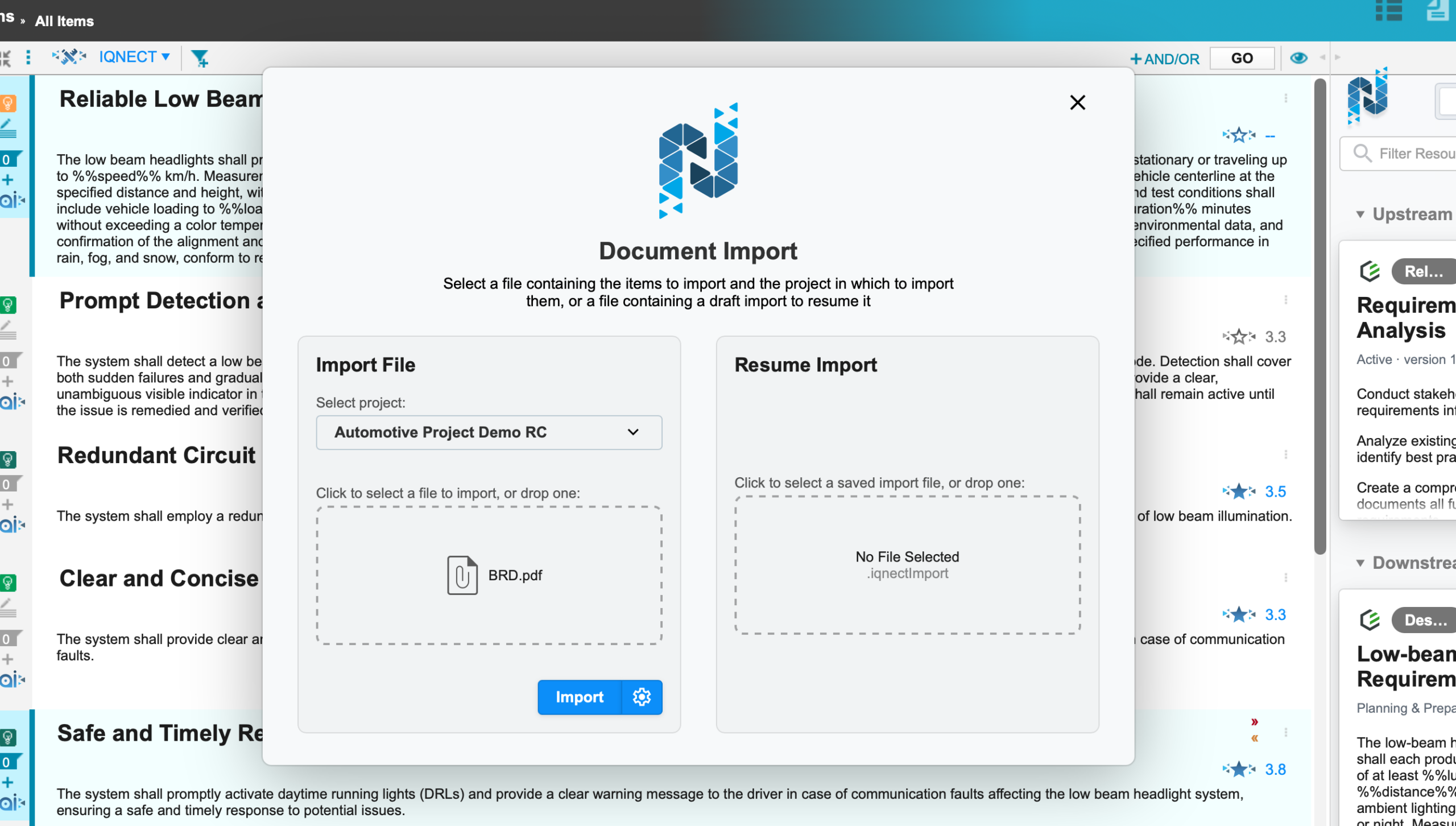
Choose the project and the document to import.
Start the import process by clicking Import.
Review duplicate detection #
During import, IQNECT checks items for potential duplicates.
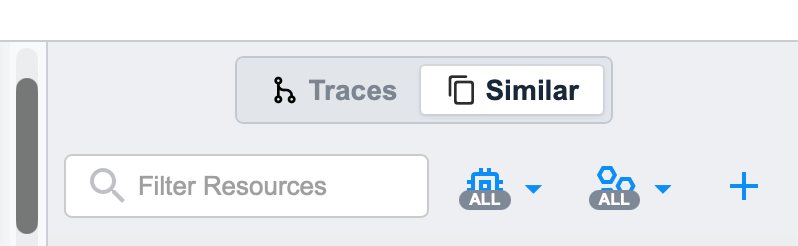
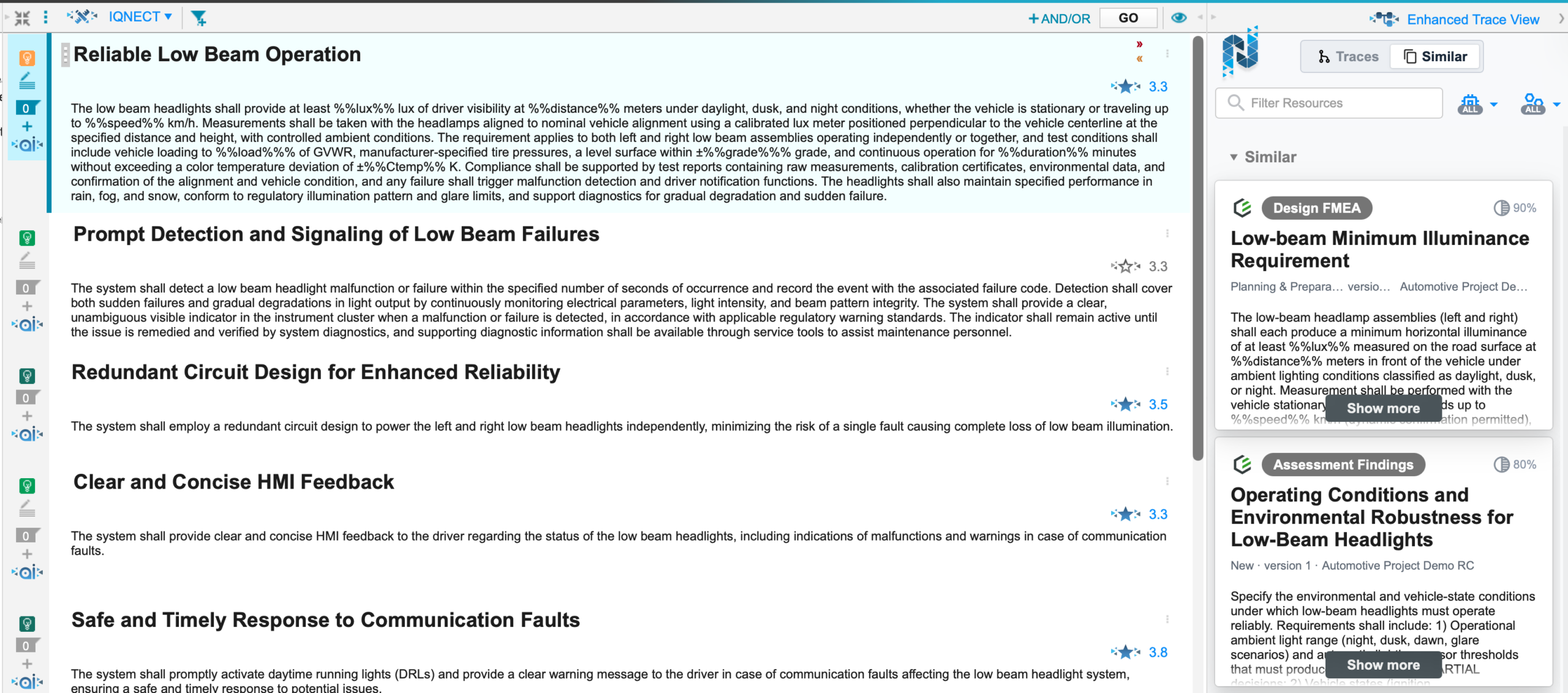
If duplicate content is detected, IQNECT identifies the items before completing the import and shows it in the Similar tab.
Review the duplicate information.
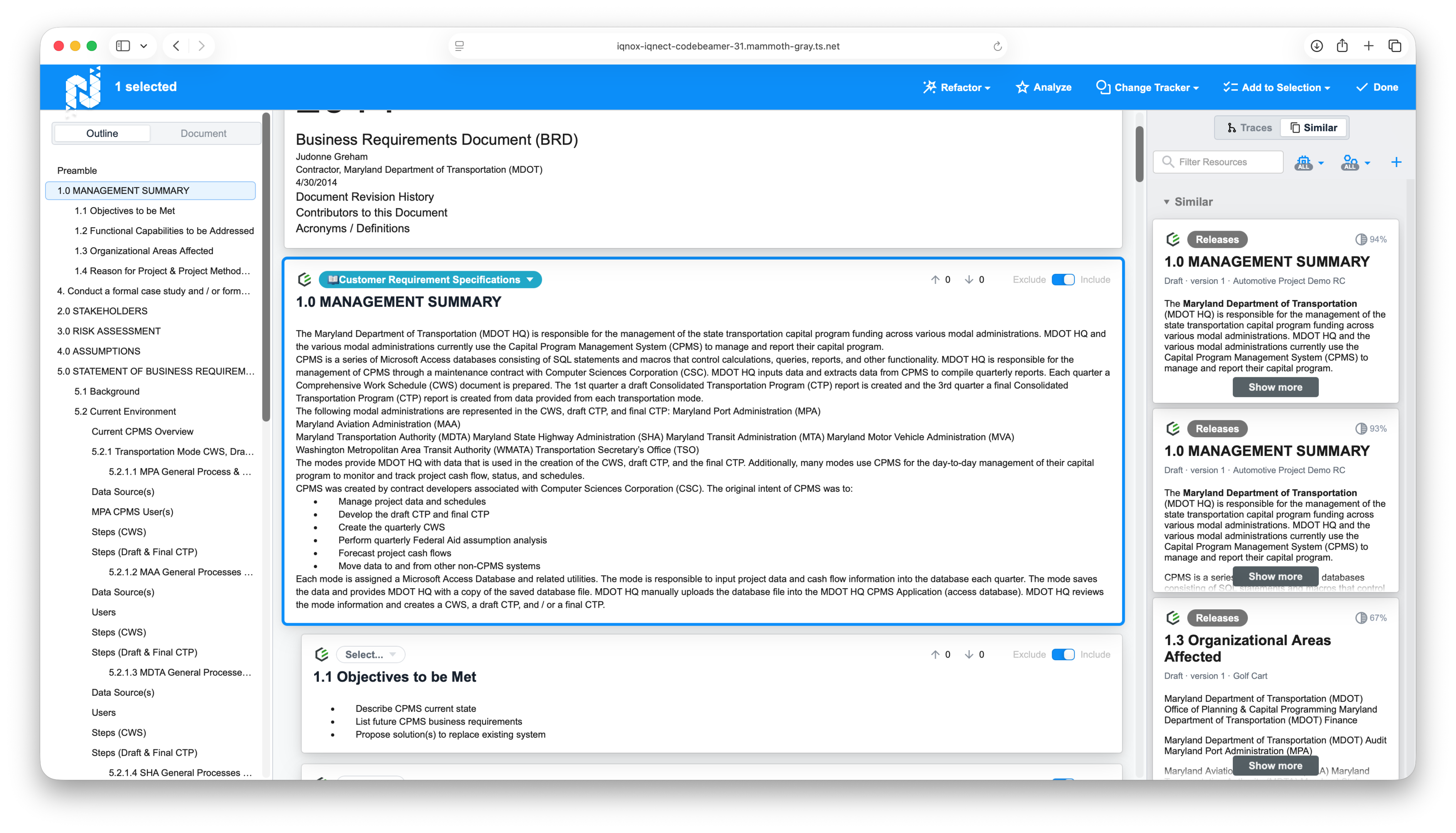
Determine whether the document should still be imported or whether the existing document should be used instead.
Complete the import #
After reviewing the results, continue with the import.

IQNECT imports all approved documents into the repository.
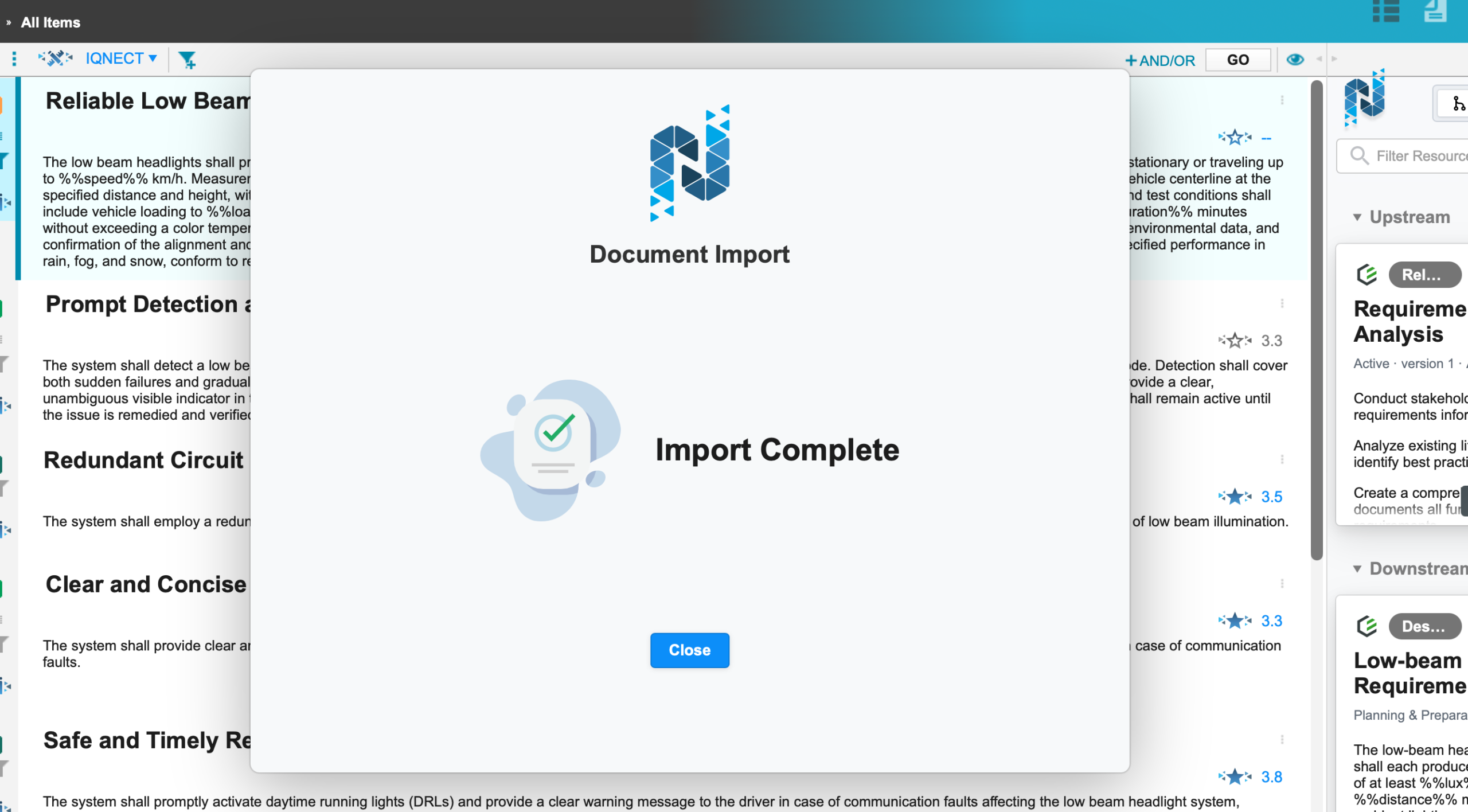
Imported documents become available for indexing, search, and other supported IQNECT features.
Duplicate detection in other IQNECT views #
Duplicate detection is available in other IQNECT views, allowing users to investigate duplicate resources after documents have been imported.
Enhanced Trace View #
Open Enhanced Trace View.
Select the resource you want to review.
Locate and select the Similar tab.
Review the duplicate resources and their engineering relationships.
View Traces #
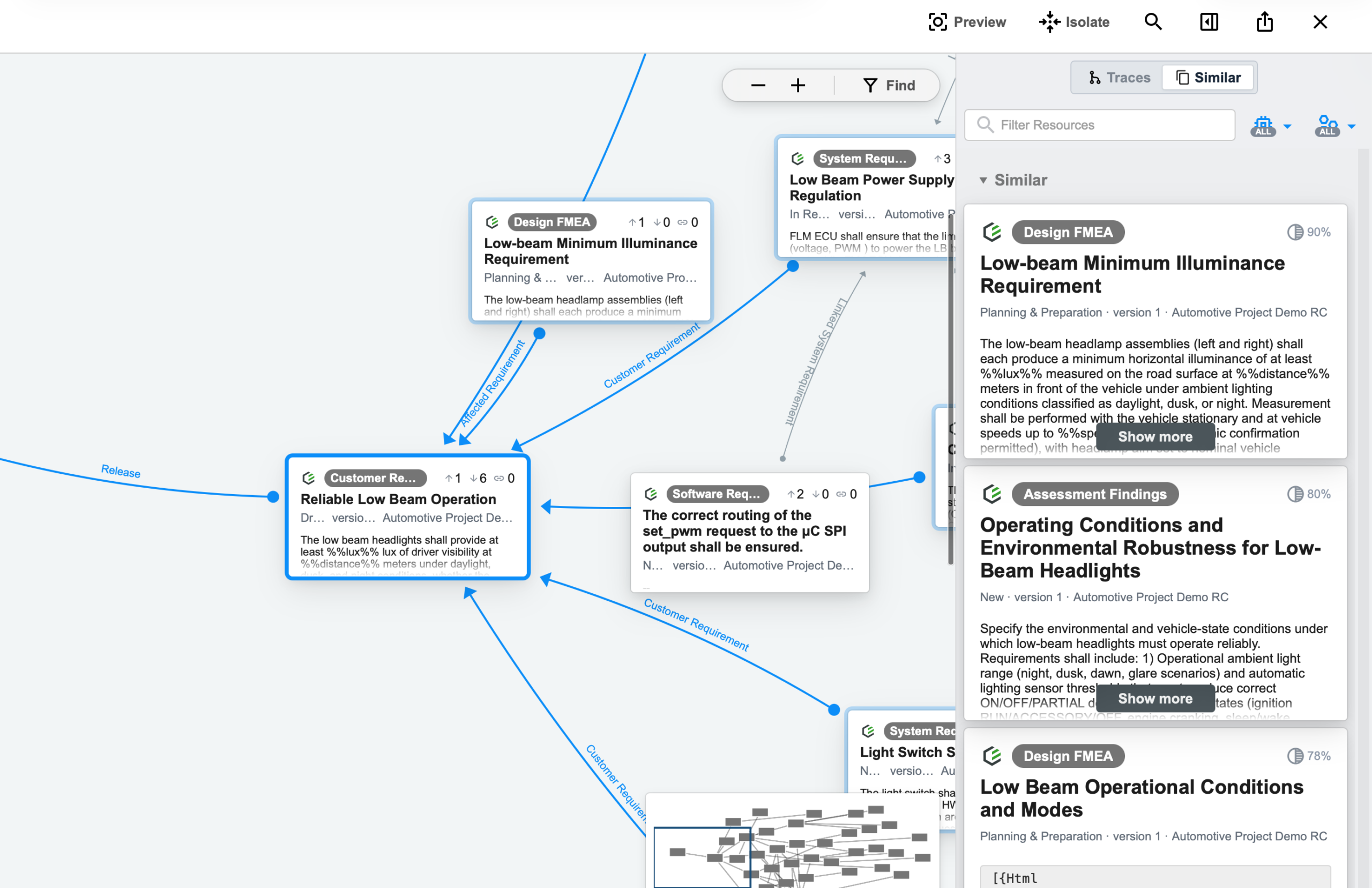
Open View Traces from a supported resource.

Select the resource to display its trace relationships.
Open the Similar tab by maimizing the sidebar using the sidebar icon.

Review the identified duplicate resources and determine whether additional action is required.
Reviewing duplicate information across these views helps improve engineering data quality, reduce redundant content, and maintain more accurate traceability.
Results and next steps #
You have successfully imported documents using the Document Importer.
Duplicate detection helps reduce redundant engineering documentation while maintaining a more consistent repository for search, analysis, and traceability.
