
Overview #
AI Analysis helps engineering teams evaluate the completeness and quality of lifecycle resources by combining automated analysis with configurable guidance. Analysis results provide consistent scoring while supplying additional context that helps users interpret the results.
In IQNECT 26.3, Analysis introduces AI advisory disclaimers and configurable rating meanings. Together, these features provide greater transparency into AI-assisted analysis and help organizations define what individual rating levels represent within their engineering processes.
Prerequisites #
Before using AI Analysis, ensure that:
- Analysis has been configured.
- The user has permission to analyze engineering resources.
- The selected resource supports Analysis.
How AI analysis ratings work #
AI analysis ratings provide a standardized way to interpret Analysis results. Each rating is assigned a configurable meaning that helps users understand the quality or completeness of the analyzed engineering resource.
When an Analysis is completed, IQNECT displays the assigned rating along with its configured meaning, providing additional context to support engineering review and decision-making.
Run Analysis #
Analysis can be performed on supported engineering resources.
Select a supported item.
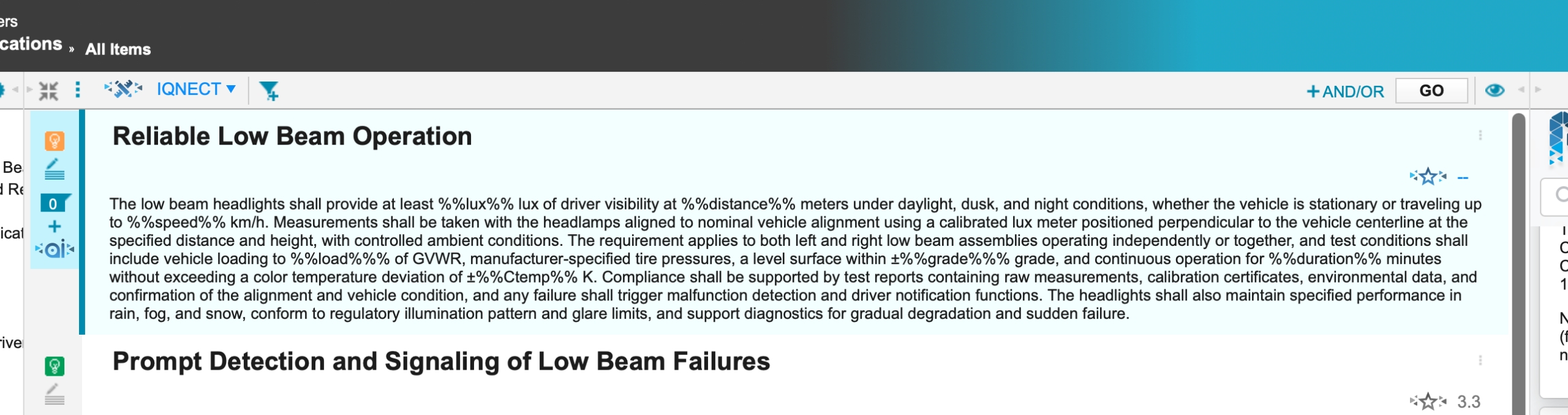
Click the star icon to launch an Analysis.
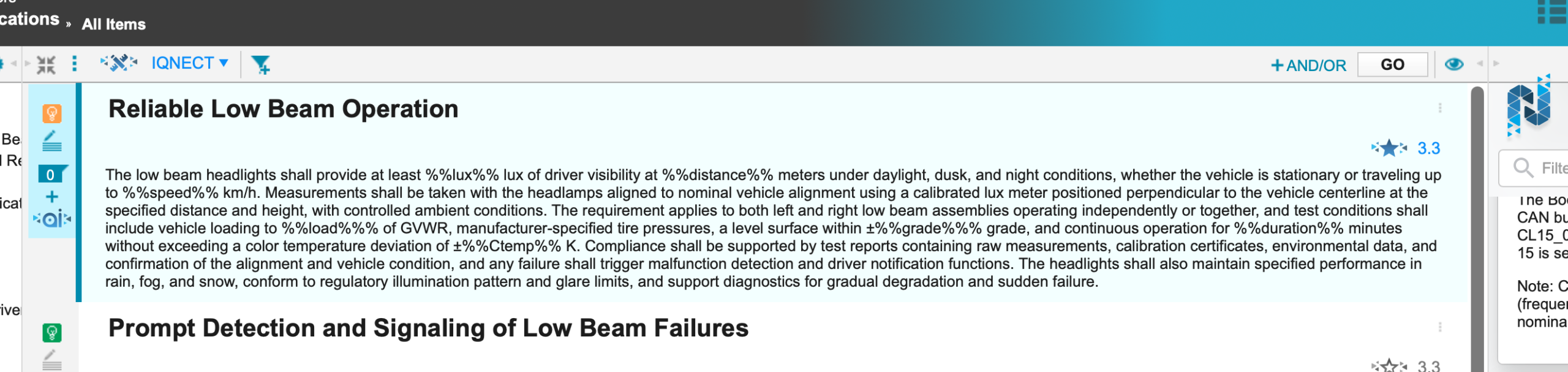
IQNECT analyzes the selected resource and displays the analysis results.
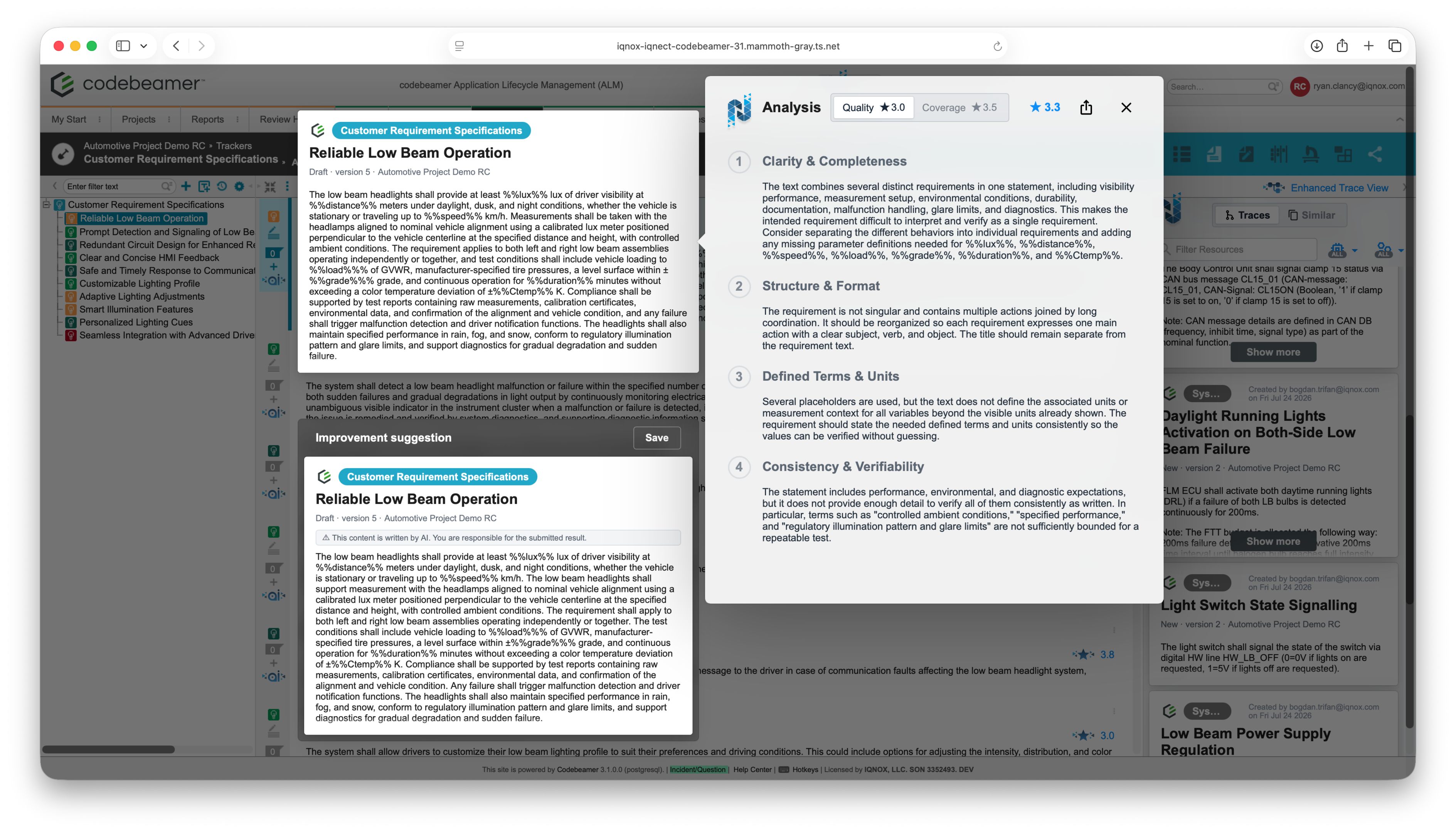
Depending on the resource type, the results may include quality scores, coverage scores, recommendations, and other engineering insights.
View AI advisory information #
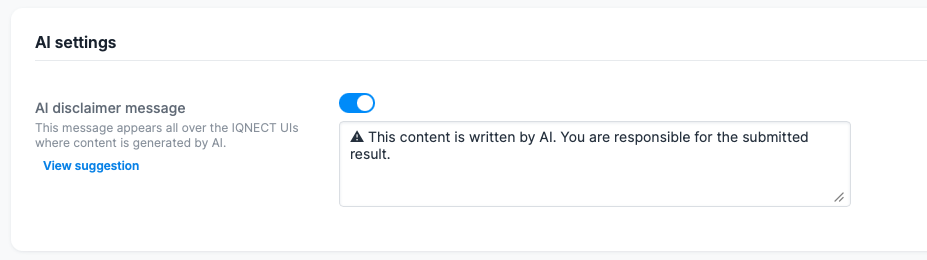
Analysis displays an advisory whenever AI-assisted functionality contributes to an analysis.

The advisory reminds users that AI-generated information should support engineering decisions and should be reviewed before implementation.
Organizations can configure advisory messages to align with internal engineering policies and governance requirements in the Admin UI under Details, selecting Edit and scrolling down to the AI settings.
View and edit rating meanings #
Organizations can define descriptions for each Analysis rating.
Locate the displayed rating.
Hover over the rating to display its meaning.

IQNECT displays the configured description associated with the selected rating, providing additional guidance for interpreting the analysis results.
If a project-specific or tenant-specific rating meaning has been configured, IQNECT displays the applicable description.
Edit a rating meaning #
Rating meanings can be customized in the Admin UI using snippets.
- Open the Admin UI.
- Create a new snippet for
ANALYSIS_RATING_MEANING. - Enter the appropriate description for the rating meaning.
- Save the new snippet.
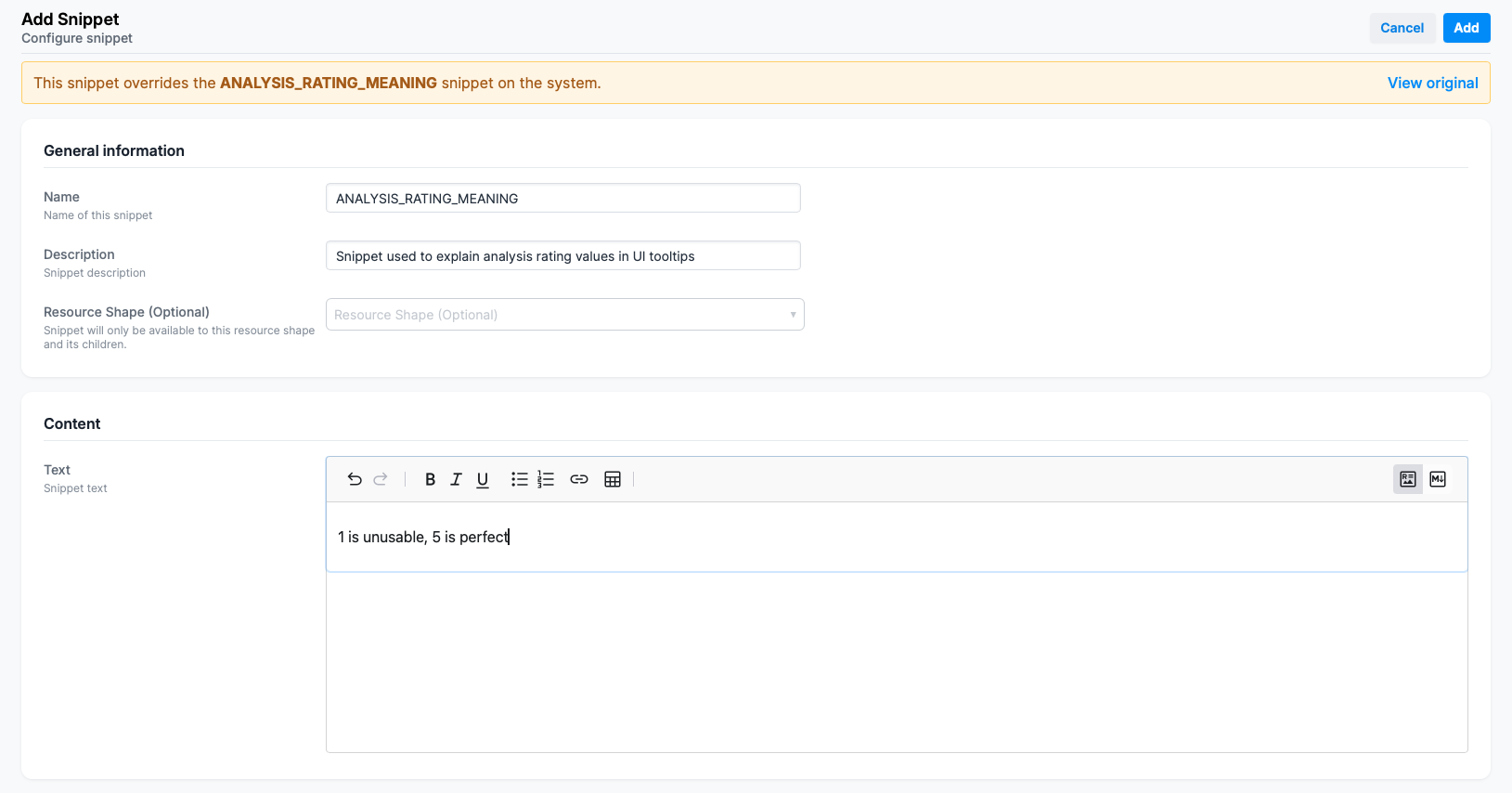
IQNECT includes a system-level ANALYSIS_RATING_MEANING snippet by default. When you create an ANALYSIS_RATING_MEANING snippet for your project/environment, this snippet overrides the system snippet.
The custom description will then be displayed when users view the applicable rating meaning, allowing your organization to define rating guidance that aligns with its engineering processes and standards.
Results and next steps #
You have successfully reviewed Analysis results and the guidance provided by AI advisory information and configurable rating meanings.
To customize how this information appears to users, administrators can configure the appropriate templates and score responses in the Admin UI:
- Configure the
ANALYSIS_RATING_MEANINGsnippet to define the explanations displayed for Analysis ratings. - Configure the applicable AI disclaimer template to define the advisory message displayed with AI-assisted Analysis results.
These configurations allow organizations to tailor Analysis guidance to their engineering processes, quality standards, and AI governance requirements while supporting consistent review across projects and environments.
